Notifications, digests and quiet hours
Choose what you hear about, where, and when to keep quiet.
The bell in the sidebar collects assignments, @mentions, reminders and invites. In SettingsNotifications you decide how each one reaches you.
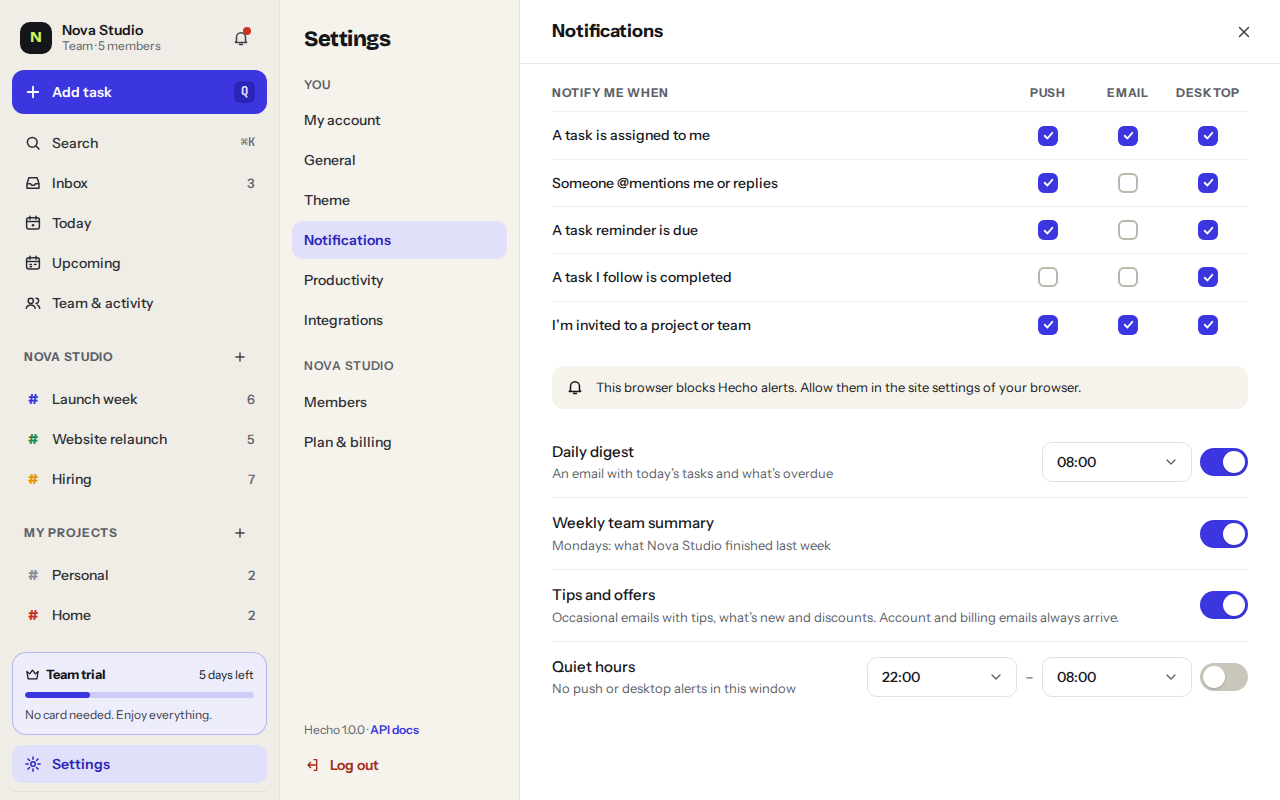
- Push goes to your phone, desktop to this browser and email to your inbox.
- The daily digest emails you today’s tasks and what’s overdue, at the time you choose.
- Quiet hours: no push or desktop alerts in the window you set.
- On Mondays you can get an email with what you, or your team, finished last week.
Was this helpful?