Turn on two-step verification
Protect your account with a code from an authenticator app.
With two-step verification on, logging in needs your password and a 6-digit code from an authenticator app on your phone.
Your passwordTo confirm it’s you
Scan the QR codeWith an authenticator app
Enter the code6 digits
Save backup codesEach works once
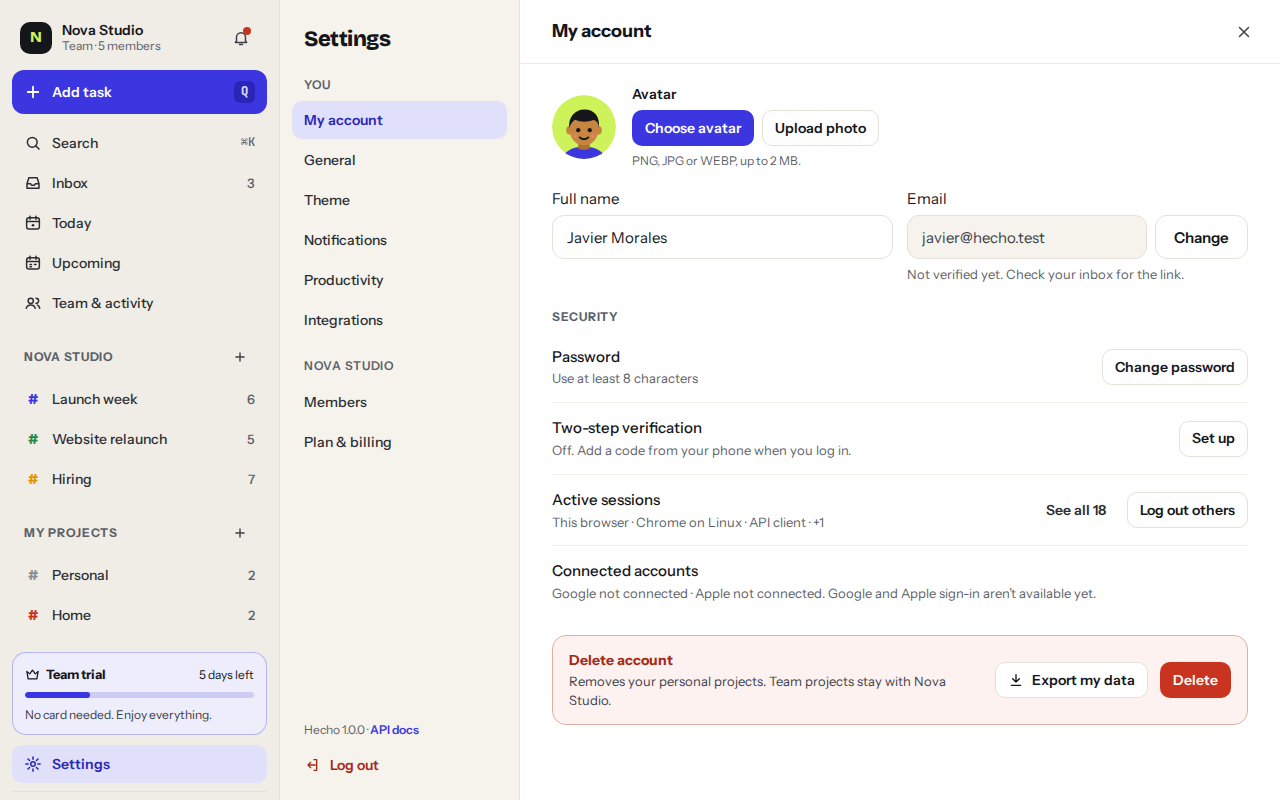
- Open Security settingsSettingsMy accountTwo-step verification
- Click Set up and confirm with your password
- Scan the QR codeUse an authenticator app like 1Password, Google Authenticator or Authy. Can’t scan? Enter the key by hand.
- Enter the 6-digit code from the appClick Verify and turn on.
- Save your backup codesCopy or download them and keep them somewhere safe. Each one gets you in once if you lose your phone.
Was this helpful?