Plan the week with Upcoming
See the days ahead, drag tasks between days and spot busy days early.
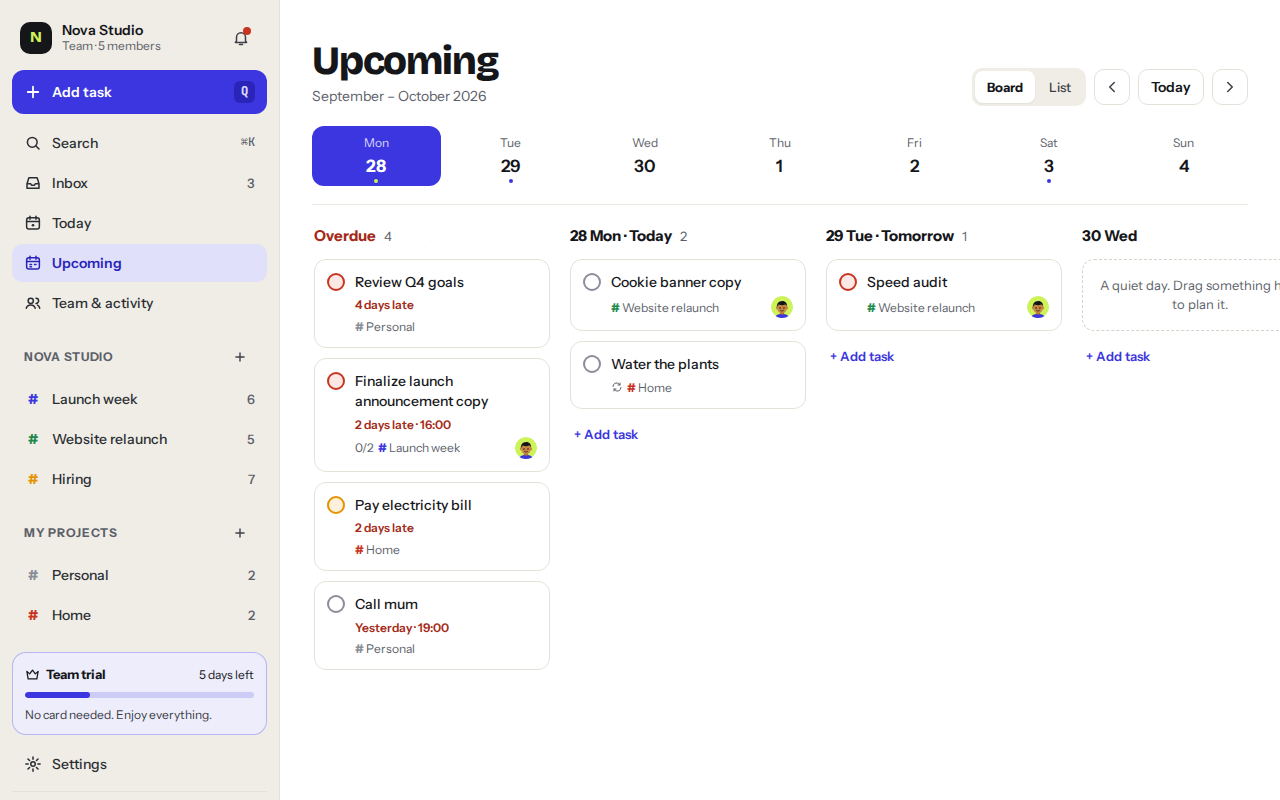
Upcoming shows the week ahead, one day at a time, with overdue tasks first. It’s the best place to plan.
Mon21
Tue22
Wed23
Thu24
Fri25
Sat26
Sun27
- Each day shows what’s due. Drag a task onto another day to move it.
- Use the arrows to jump a week back or forward, or pick a day.
Plan by dragging
- Find the taskEvery task with a date shows up on its day.
- Drag it to another dayDrop it on the day you want. The due date changes and the time stays the same.
- Add straight to a dayUse + Add task under any day and the task gets that date.
List or board
Switch the layout between List, with the days one under the other, and Board, with one column per day.
Was this helpful?